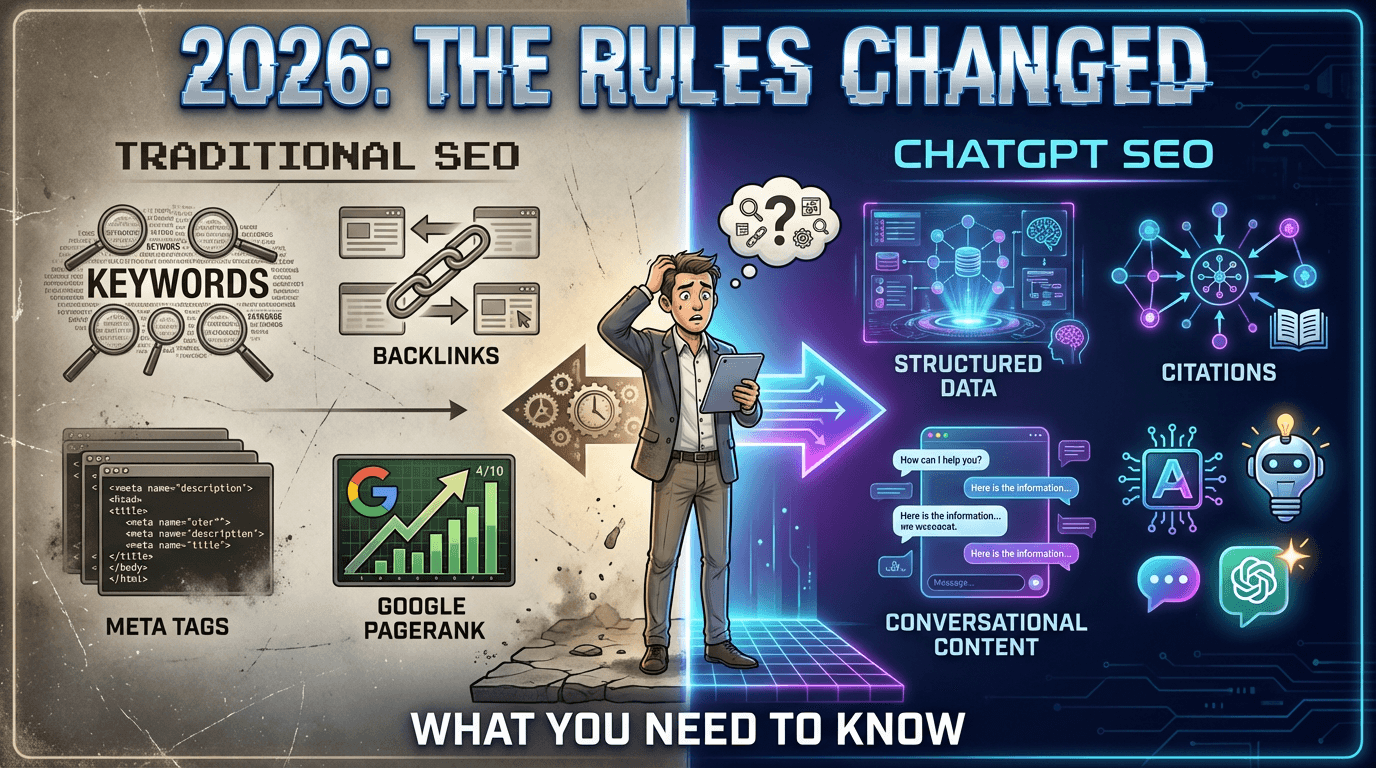
How to Allow GPTBot, ClaudeBot & PerplexityBot in robots.txt
To allow AI crawlers like GPTBot and ClaudeBot, your robots.txt simply must not disallow them. Copy-paste rules for every major AI crawler, how to verify access, and which bots feed which AI assistants.
Key Takeaways
- AI crawlers are allowed by default; you only need changes if rules currently block them
- A crawler's own named group overrides the wildcard group, so a specific Disallow blocks it even when * allows all
- Blocking Google-Extended does not affect Google Search rankings
- User-triggered fetchers like ChatGPT-User act on live user requests; blocking them blocks direct lookups of your site
- Keep private paths disallowed for all agents; allowing AI crawlers is not all-or-nothing
How Do You Allow GPTBot and ClaudeBot in robots.txt?
AI crawlers are allowed by default. If your robots.txt never mentions GPTBot or ClaudeBot and has no blanket "Disallow: /" rule, they can already crawl your site and nothing needs to change. You only need to act if your robots.txt currently blocks them, which is common because many security plugins, CDN presets, and older SEO templates added AI-blocking rules by default.
To explicitly welcome AI crawlers, add allow groups like this to your robots.txt:
# Allow AI assistant crawlers
User-agent: GPTBot
Allow: /

User-agent: OAI-SearchBot
Allow: /

User-agent: ClaudeBot
Allow: /

User-agent: Claude-SearchBot
Allow: /

User-agent: PerplexityBot
Allow: /

User-agent: Google-Extended
Allow: /

User-agent: meta-externalagent
Allow: /
Keep your existing rules for genuinely private paths (admin areas, checkout, account pages). Allowing an AI crawler does not mean allowing it everywhere.
Which AI Crawler Feeds Which Assistant?
| Crawler | Operator | What it feeds |
|---|---|---|
| GPTBot | OpenAI | ChatGPT model training and knowledge |
| ChatGPT-User | OpenAI | Live page fetches when a ChatGPT user asks about your site |
| OAI-SearchBot | OpenAI | ChatGPT search results |
| ClaudeBot | Anthropic | Claude model training and knowledge |
| Claude-User | Anthropic | Live fetches on behalf of Claude users |
| Claude-SearchBot | Anthropic | Claude search features |
| PerplexityBot | Perplexity | Perplexity's answer index |
| Google-Extended | Gemini and Google AI features (does not affect Google Search rankings) | |
| meta-externalagent | Meta | Meta AI |
| CCBot | Common Crawl | Public dataset used to train many AI models |
Two details worth knowing. First, blocking Google-Extended does not remove you from Google Search; it only opts your content out of Google's AI training and some AI features. Second, user-triggered fetchers like ChatGPT-User act on a live user request, so blocking them means an assistant cannot check your site even when a user explicitly asks about you.
How Do You Check What Your robots.txt Currently Blocks?
- Open yourdomain.com/robots.txt in a browser.
- Search the file for each crawler name above, and for "Disallow: /" under "User-agent: ".
- Remember the matching rule: a crawler follows its own named group if one exists, and only falls back to the "" group when it has no group of its own. A "Disallow: /" under "User-agent: GPTBot" blocks GPTBot everywhere even if your "*" group allows everything.
- After editing, re-check the live file. Crawlers pick up robots.txt changes the next time they fetch it.
Our free audit checks all of this automatically: it reads your robots.txt, tests it against the current AI crawler list, and flags exactly which assistants cannot see your site.
Should You Ever Block AI Crawlers?
There are legitimate reasons to block: paywalled content, licensing strategies, or content you simply do not want in training data. That is a business decision, not a technical one. But if your business depends on being discovered and recommended, blocking the crawlers that feed ChatGPT, Claude, and Perplexity means those assistants answer your customers' questions using competitors who stayed open.
For the reverse problem, accidentally blocking AI and wondering why you are invisible, see our guide on robots.txt rules that block ChatGPT and the broader introduction to GEO.
Want to see your AI visibility score?
Get a free GEO audit and discover exactly what's holding your site back in AI search, in 90 seconds.
Start Free AuditFrequently Asked Questions
Do I need to add Allow rules for AI crawlers?
Only if your robots.txt currently blocks them. Crawlers are allowed by default, so a robots.txt that never mentions GPTBot and has no blanket Disallow already permits it. Explicit Allow groups are useful as documentation and to override a broad Disallow under User-agent: *.
Does allowing GPTBot affect my Google rankings?
No. GPTBot is OpenAI's crawler and has nothing to do with Googlebot. Similarly, blocking or allowing Google-Extended affects Google's AI features and Gemini training, not your position in Google Search results.
How long until AI crawlers see my robots.txt changes?
Crawlers re-fetch robots.txt periodically, typically within hours to a few days. The change applies from their next fetch. Content already collected under the old rules is not retroactively removed by a robots.txt change.
What is the difference between GPTBot and ChatGPT-User?
GPTBot crawls the web proactively to build knowledge. ChatGPT-User fetches a specific page live when a ChatGPT user asks about it. Blocking ChatGPT-User means the assistant cannot look at your site even when a user pastes your URL and asks directly.
Can I allow AI crawlers on some pages and not others?
Yes. robots.txt rules are path-based per user agent, so you can allow your marketing pages while disallowing private paths like /account/ or /checkout/ for every crawler. Most businesses should allow public content and disallow only genuinely private sections.
Cited Team
AI Search Optimization Experts
The Cited team builds and runs a 120+ factor audit engine for AI search visibility. Our experts combine deep technical knowledge with practical experience helping businesses get found by ChatGPT, Claude, Perplexity, and other AI assistants.
Topics
Ready to Optimize Your Site for AI Search?
Get a free GEO audit and see your optimization score in 90 seconds.
Start Free Audit